We use cookies, which are small text files, to improve your experience on our website and to show you personalized content. You can allow all or manage them individually.
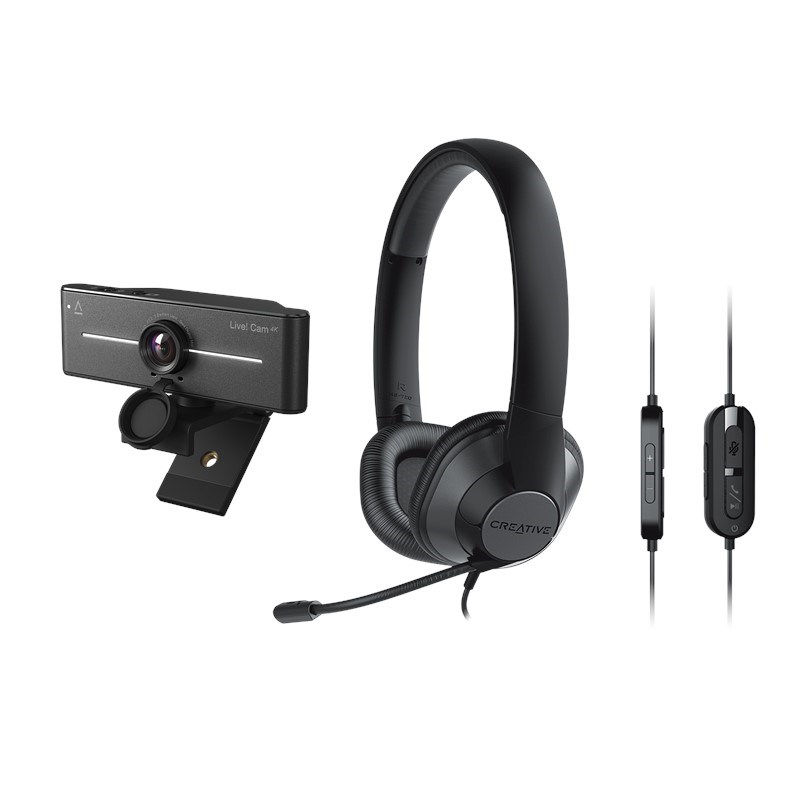
Creative Live! Cam 4K + Creative HS-720 V2 Bundle
Features

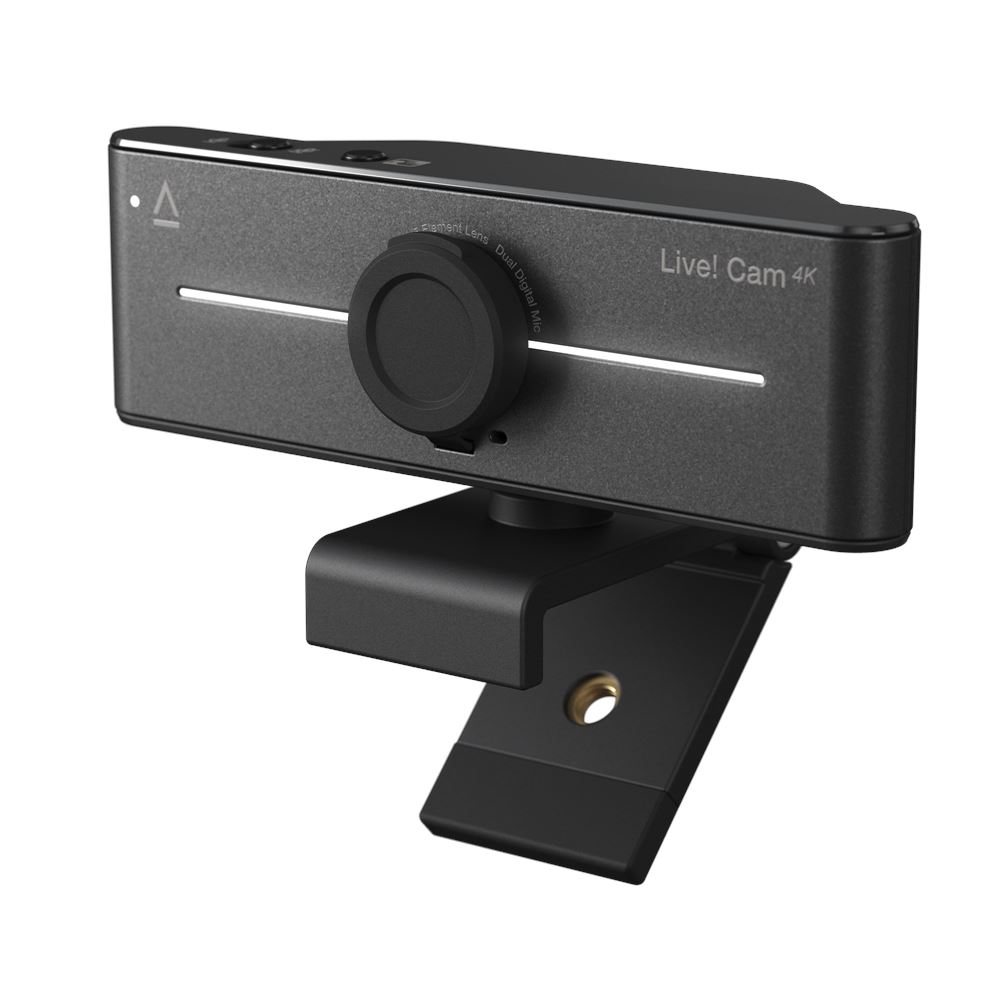
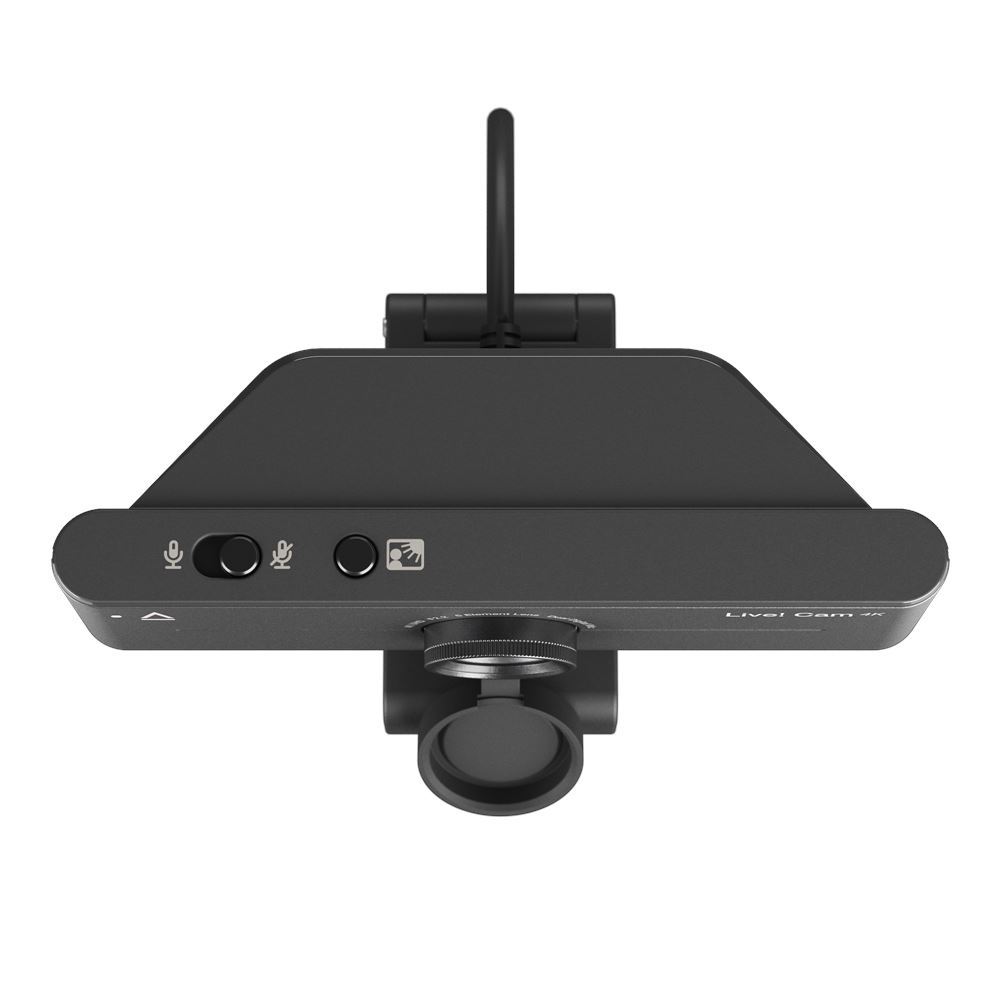

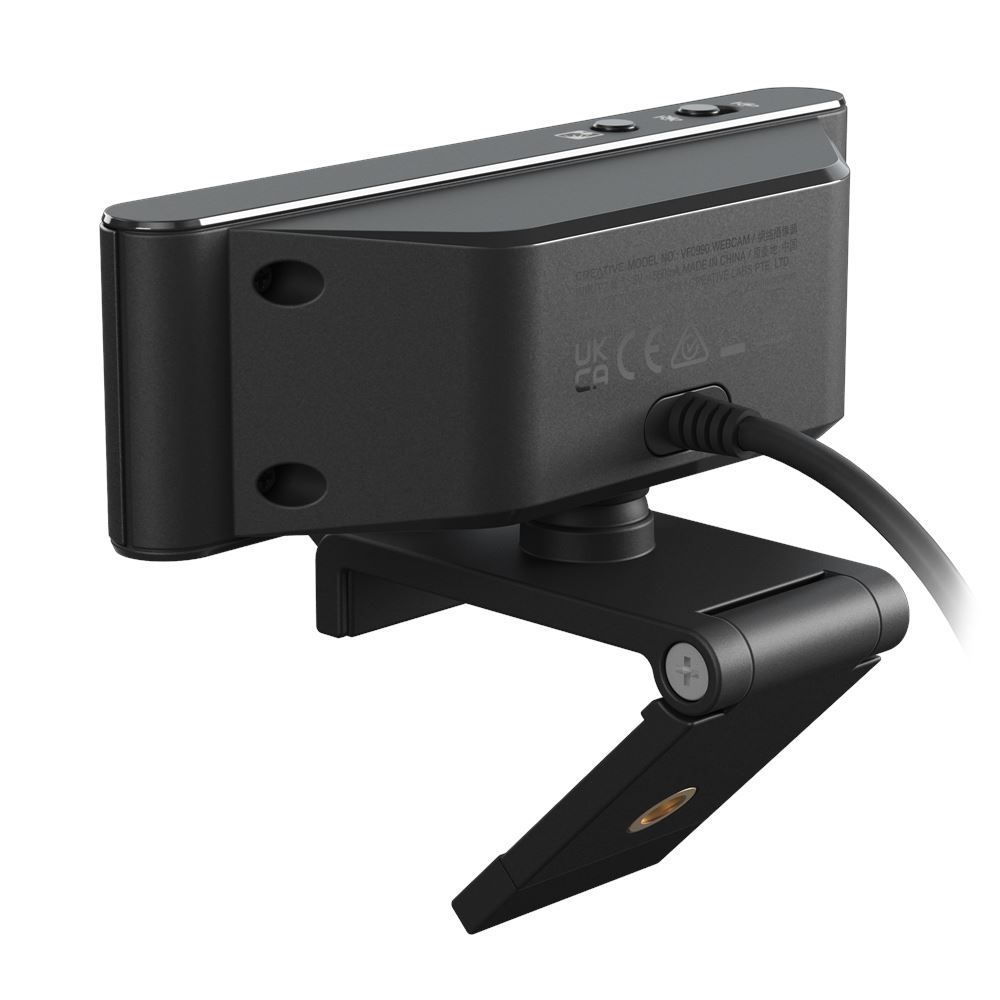

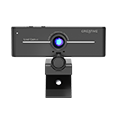
Live! Cam 4K
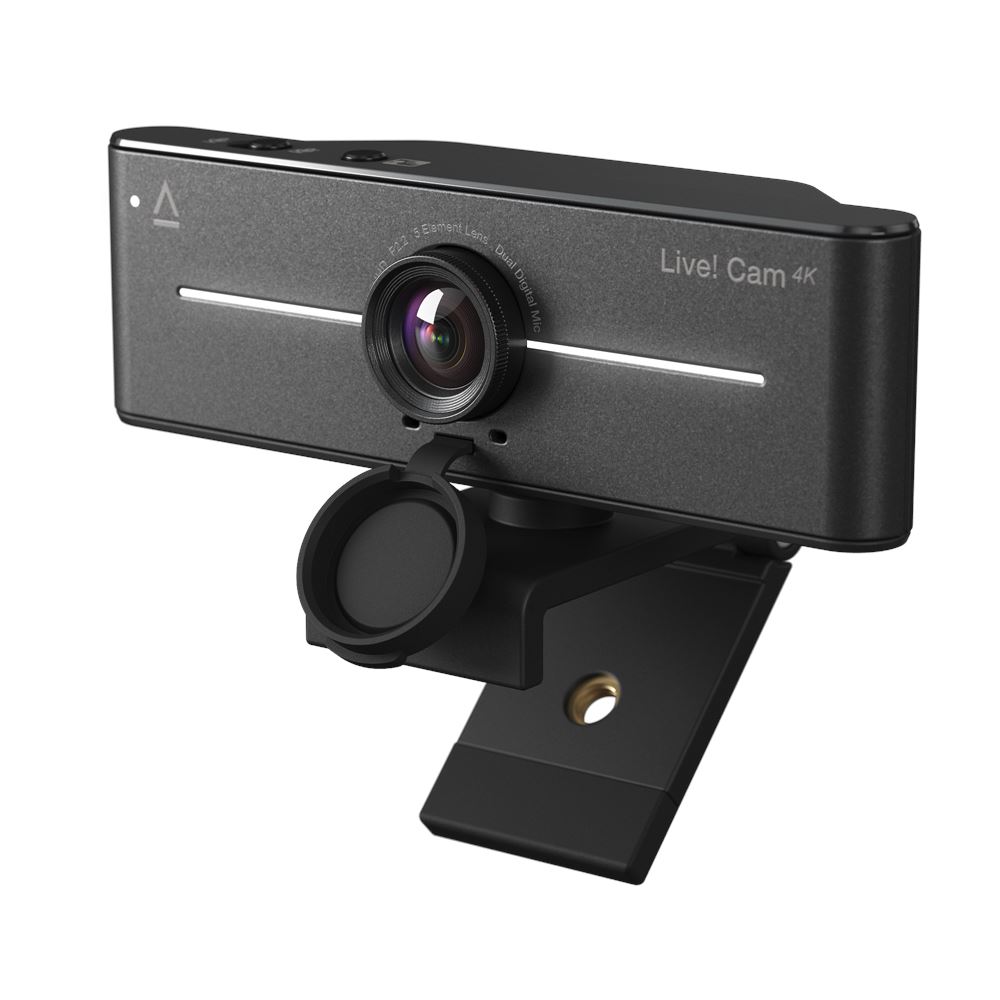
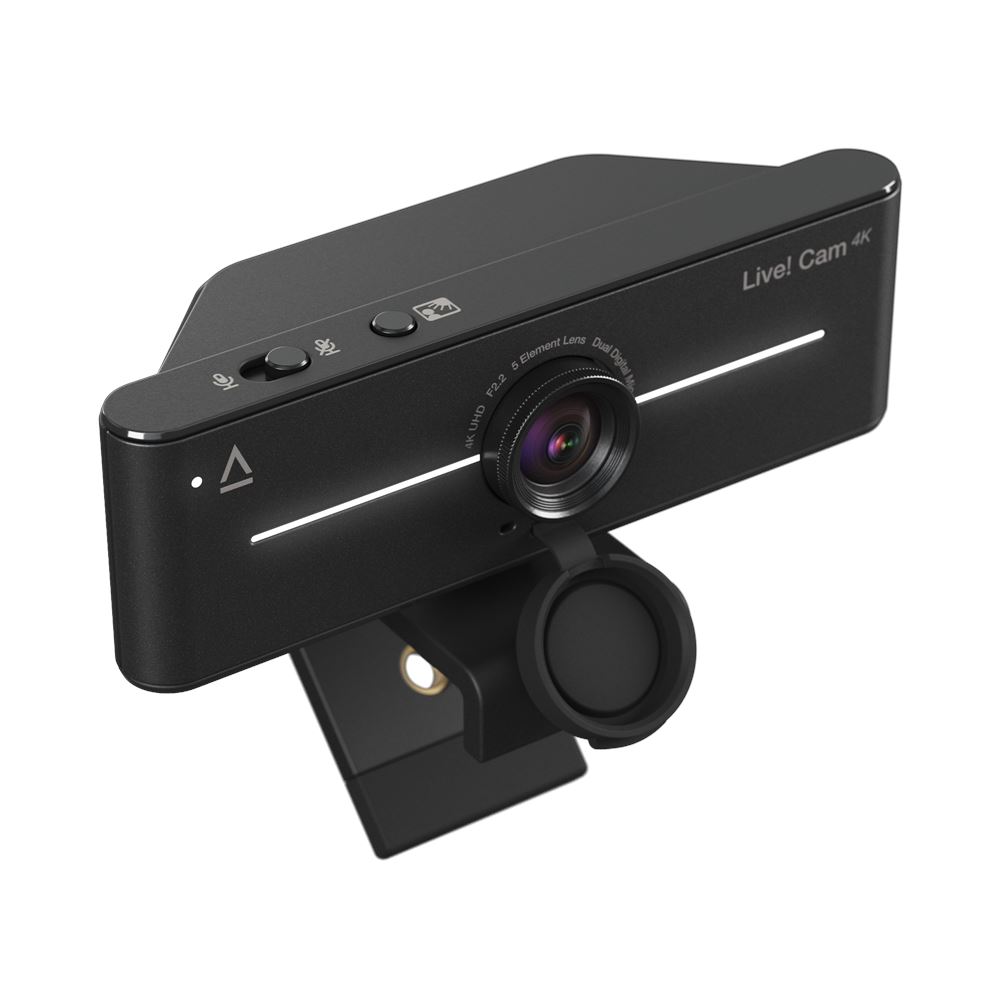
4K UHD Webcam with Backlight Compensation
Enjoy remarkably crisp and detailed clarity with Live! Cam 4K. With its plug-and-play design, setup is effortless, so you can focus on what matters.

4K UHD

1080P

Backlight Compensation

95° field-of-view (FOV)

360° horizontal rotation and 30° vertical tilt

Dual built-in mics


Performance



SUPERIOR 4K UHD CLARITY
Equipped with a high-performance imaging sensor, together with 4K UHD* resolution, create top-tier content in stunning video quality anytime, any day.
STUNNING 2K QHD CLARITY
Record in 2K QHD* resolution—whether it's for your content or live stream, the Live! Cam 4K provides you with fluid and sharp-looking visuals that are sure to impress others!
*4K UHD and 2K QHD at 30 fps output quality are available with the use of third-party applications, like OBS. Find out more on how to switch to 4K or 2K video resolution on Live! Cam 4K. For assistance with OBS, please visit the software's website.
IMPRESSIVE 1080P FHD CLARITY
The webcam also captures videos in full HD clarity at 1080p at 60 fps, empowering you to present your best self during all your video calls.
LOOK YOUR BEST IN ANY LIGHTING
Finding the ideal lighting for your videos can often be a challenging task. Featuring the Backlight Compensation (BLC), you can achieve optimal exposure in every video call, regardless of lighting conditions.
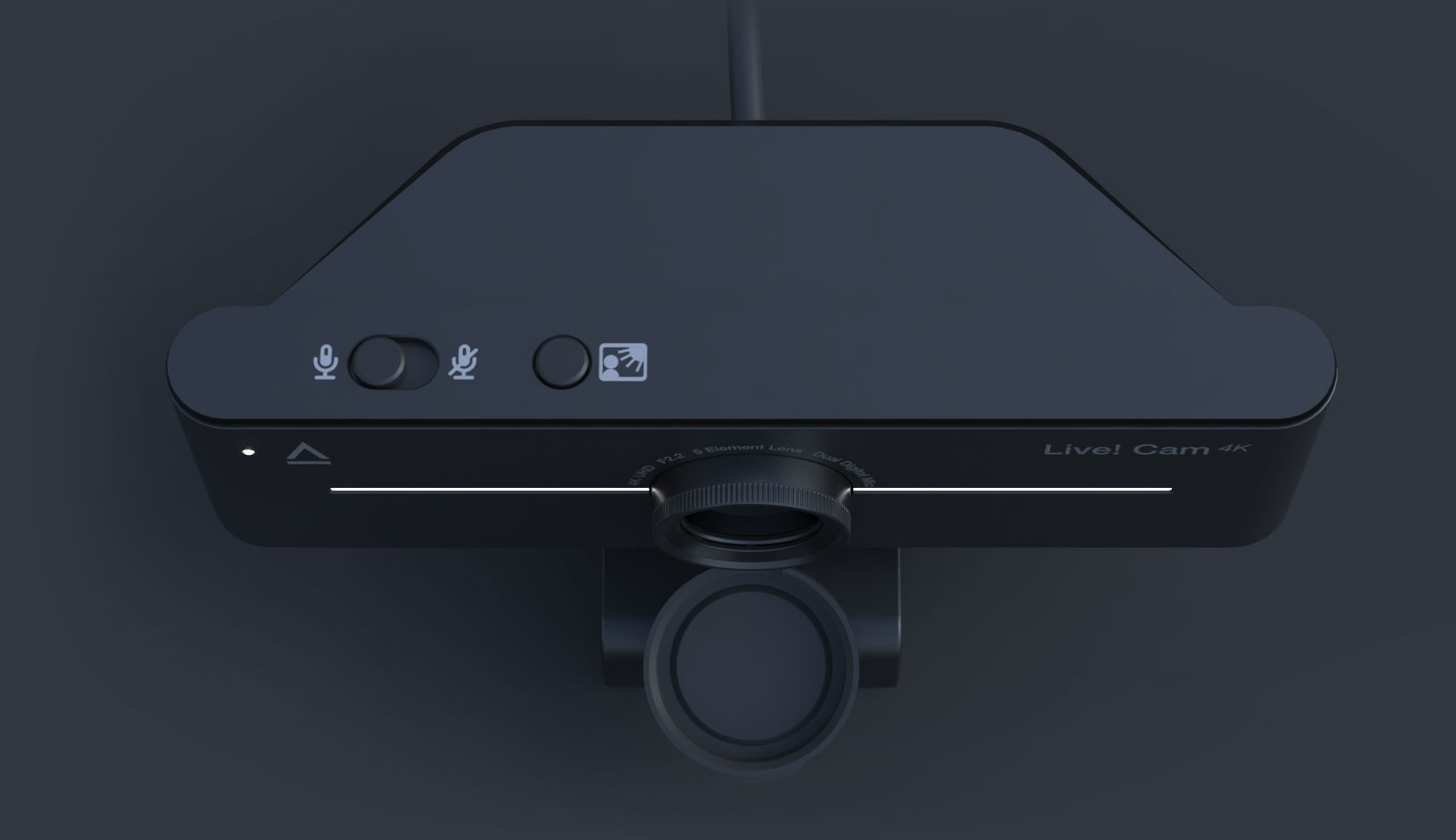
Simply press and hold the BLC button to manually adjust the video backlight compensation. Whether you're in low light or dealing with bright backlit sunbeams, cycle through the incremental BLC settings to always look your best.
Harsh Backlight
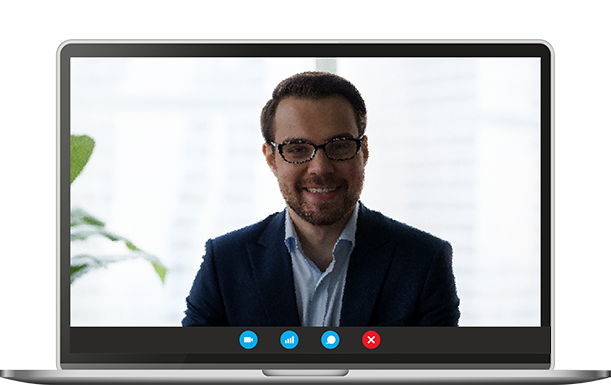
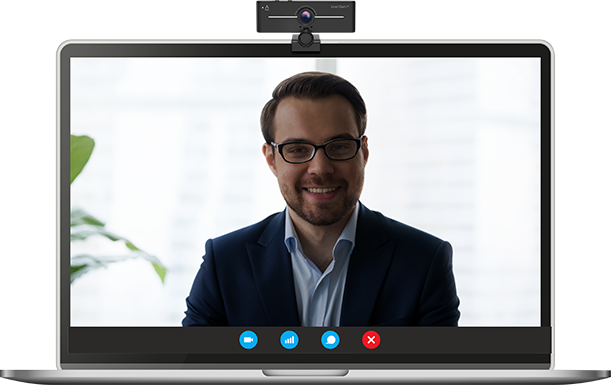
Live! Cam 4K (with BLC disabled)
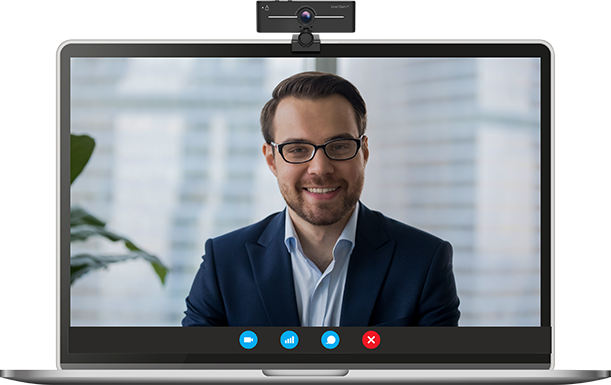
Live! Cam 4K (with BLC enabled)
Dim Lighting
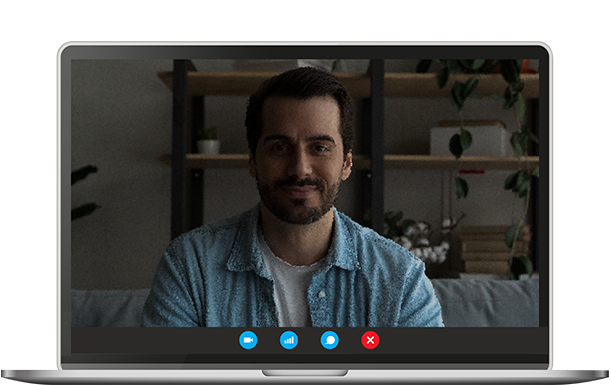
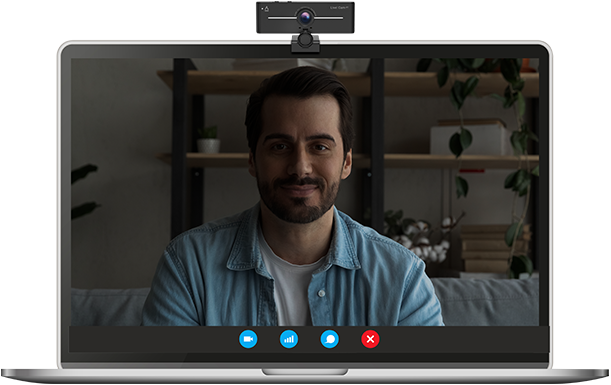
Live! Cam 4K (with BLC disabled)
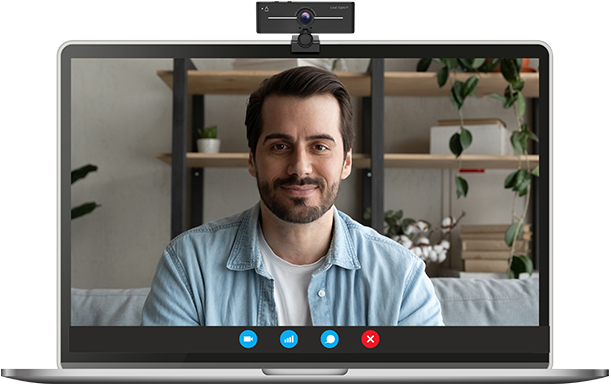
Live! Cam 4K (with BLC enabled)
OUT OF FOCUS?
Say goodbye to blurry images with the ability to manually adjust focus—simply turn the focus ring to stay in focus at all times.
OR, WOULD YOU PREFER SOME PRIVACY?
Snap-on the privacy lens cover and you got it.
Connectivity
BE READY IN A SNAP
Effortlessly setup the Live! Cam 4K. This UVC-compliant webcam allows you to dive right into your virtual meetings or start streaming effortlessly, in no time.
Plus, it works with most popular streaming applications and video conferencing platforms, making it ideal for work and live streaming.

Communication
DUAL MICROPHONES, DOUBLE THE CLARITY
Featuring built-in dual digital microphones, be heard loud and clear during your calls without having to lean in closer or strain your voice. Plus, with the convenient mute and unmute slider switch, you can now jump right into and out of your conversation with ease.

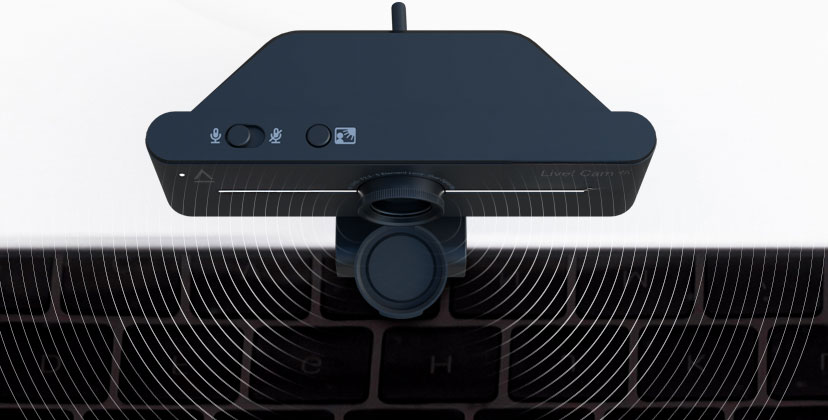
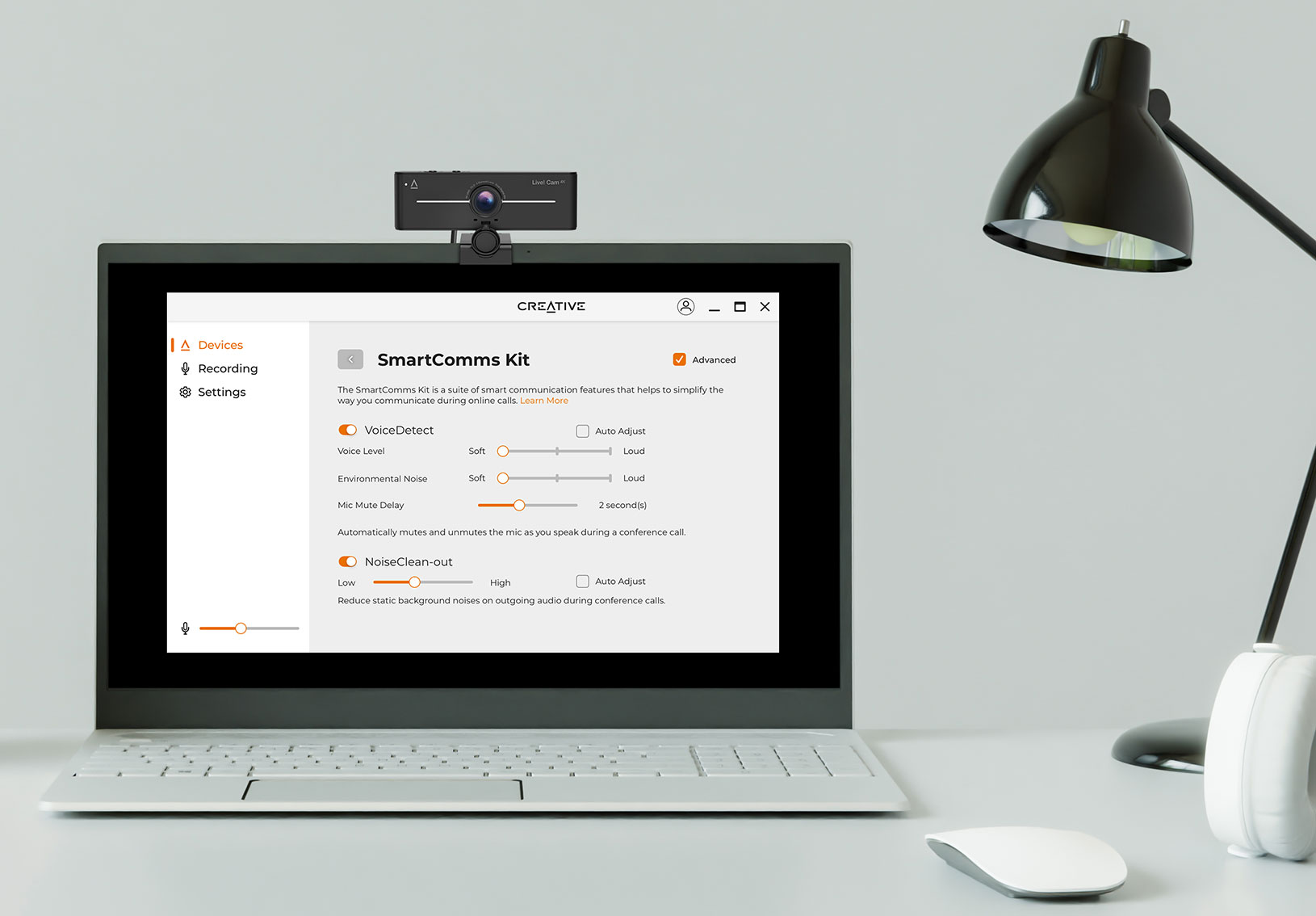
WITH SMARTER COMMUNICATIONS
Skip the fuss over microphones settings and controls, and avoid getting distracted when you're in a conference call or a live stream session. With SmartComms Kit, available via Creative app, the suite of smart communication features is designed to help you speak and converse with ease.

VoiceDetect
Say farewell to muted mishaps with the help of VoiceDetect. A feature designed to intelligently pick up your voice when you speak and cut off when you're done so you can free up your hands and mind for other important tasks.
NoiseClean-out
Sometimes, it's us. NoiseClean-out removes unwanted background noise from YOUR side of the call so others can hear you clearly. Your background noise will be suppressed, delivering only your voice to the other end.
Design
ENJOY OPTIMAL FRAMING
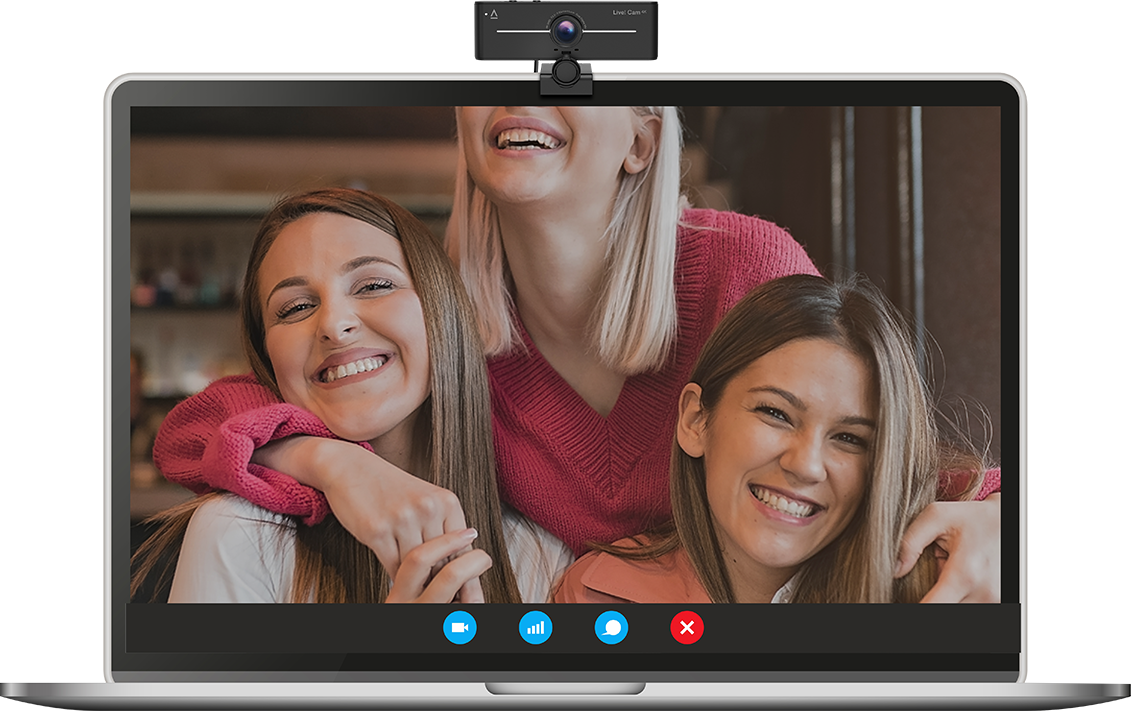
Expand your shot and never miss a detail again—the wide-angle lens of 95° field-of-view lets you capture more people and surroundings in your frame.
AND THE PERFECT ANGLE
Coupled with a universal mounting clip to place on a PC, desktop monitor, or even attached to a tripod, the Live! Cam 4K offers versatility in placement.
Together with its fully adjustable 360° horizontal rotation and 30° tilt flexibility, achieve the ideal shot and look your best at all times.
Downloads

Creative app
Access the SmartComms Kit's suite of smart communication features, configure Recording and other settings, and more in-app.
WINDOWS DOWNLOAD >Creative HS-720 V2
Overview
Communicate clearly and confidently with our latest Creative HS-720 V2 USB headset! Refreshed with a new, understated look and optimized for online meetings, the Creative HS-720 V2 is a simple plug-and-play headset that works with any PC or Mac, and is lightweight so you can use it comfortably for long hours without fuss!
The Creative HS-720 V2 is equipped with all the must-have features for work calls—a noise-cancelling condenser mic to block off unwanted noise, mic-monitoring (sidetone) feature that keeps you in check of how loud you sound to others, and a convenient inline remote that comes with easy access to mic mute button and calls pick-up.
Requiring zero extra software nor installation, this is the ideal USB computer headset for any working professionals who wants an easy and fuss-free headset experience.

CONNECTIVITY

CANCELLING

MONITORING

CONTROL

NEODYMIUM

4.76 oz
Be Heard Clearly with Noise‑cancelling Mic
Let's face it. We all know that it's hard to concentrate during an online work call when it is constantly disrupted by noise in the background. And when it comes to presenting, being able to be heard clearly will keep your audience's focus on your online business pitch, and boost your work reputation as an effective communicator.
The Creative HS-720 V2 comes with a noise-cancelling condenser microphone for this purpose. This passive noise-cancelling boom mic works to pick up your voice over the surrounding noises, and ensures that you are heard clearly by your bosses and co-workers. Besides, the flexible boom microphone allows you to easily adjust it to any angle for the right fit.
Direct Mic Mute Control
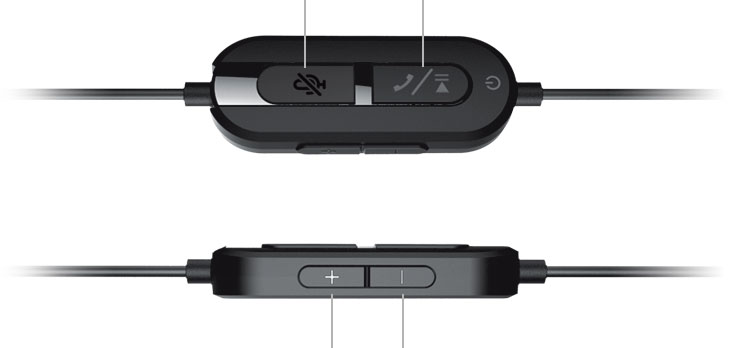
We've all had that time where we're multitasking through our online meeting, and when someone unexpectedly asks for your opinion, there's the dreaded deafening silence as you frantically try to return to the web conference app to unmute yourself? Not an issue anymore. With a direct mute and unmute button located on the inline control of the headset cord, the Creative HS-720 V2 allows you to mute or unmute yourself easily with a press of the button. No unnecessary awkward silence needed.
If this sounds familiar to you—Hey, your mic is off; we can't hear what you're saying—you'll know the disruption that it often causes towards the discussion flow, especially for important online calls. Avoid being in that situation with the Creative HS-720 V2. While you're muted, the microphone button on the remote will light up in red so that you can keep track of your status. The inline control also features a direct call pick-up button, as well as the volume and playback buttons—all the necessary controls are conveniently available at your fingertips.
Know How Loud You Sound
Ever been in an online meeting with people speaking so loudly, they sound as if they are yelling into your ears? When we can't hear ourselves, we have a tendency to talk louder than we would if we could hear ourselves.
With the Creative HS-720 V2's mic-monitoring (sidetone) feature, you'll be able to hear how loud you sound to the others, and consciously adjust your tone when necessary. This allows you to speak more comfortably without having to raise your voice unnecessarily, because that's pretty much the basic rule of any online meeting etiquette, really.

The Perfect Plug‑and‑play Headset for Work
Be ready in seconds for your work call! Without the need to install any extra software or to fiddle with settings, the HS-720 V2 works immediately once it's plugged in, and delivers enhanced digital audio for any use! This simple plug-and-play headset is suitable for use with any PC or Mac* computer with a USB-A port, and works with all the popular conference apps like Cisco WebEx, Facebook Messenger, Google Meet, Microsoft Teams, Skype, and Zoom!
*For Windows PC users, make sure that the Creative HS-720 V2 is set as your Default Device under the Playback tab of your computer's Sound Settings. For Mac users, make sure that the Creative HS-720 V2 is set as your Default Device under both the Input and Output tabs of your Mac's System Preferences.
Stay Comfortable during Long Meetings
Designed to be lightweight (135g / 4.76 oz), the Creative HS-720 V2 rests comfortably on your head and ears without weighing you down even during long meetings. We've also made sure that the cable length is just the right length (2m / 6.56 ft) so that you have enough room to move around, or even stand up during the meeting for quick stretches to ease your muscle tensions.
Superior Sound for all use
Faithfully tuned for powerful acoustics, enjoy robust, rich, and detailed audio performance for all your calls, music listening, drama binge, and even games. Our HS-720 V2 headset is equipped with 30 mm Neodymium drivers on each side of the earcups to deliver enhanced digital audio straight to your ears.
REVIEWS
Gadget Guy
The Creative HS-720 V2 is a simple, lightweight, work from home (or office), on-the-ear headphone with a noise-cancelling boom mic.
9.4/10
The Gadgeteer
I am very pleased with this headset from Creative and so much so that I use it every day for my Microsoft teams conference calls. I also use it in between calls to listen to music while I work. I actually focus well that way. This is a very well-made and very practical headset and at a very competitive price. Well done!!
Canbuyornot
I mentioned that the headphones have good sound, and it does. Bass is punchy without being overwhelming, while the mids and highs are clear and crisp. The soundstage is somewhat wide, but you’ll still feel like in the center of the music. While it’s not 7.1 channels for say, gaming, the 30mm drivers still pack quite a punch.
Customer Reviews
D. Kumar
These are really comfortable headphone and can be used for long hours. Even after the call, I didn't realize that I was having the headphone. The sound is clear and crisp. The mic is positioned just about right close to the mouth, but not too close. The noise cancellation works great too, even with a mask, the voice is picked up well.
S. Francis
Pretty comfortable for 1 hour of use. Clear audio and microphone as well, no more complaints of people not being able to hear me during virtual meetings! Loving the long wire and mute option as well (for instances where the meeting host forgets to mute me). Definitely recommend to others to purchase for work or school from home.
O. W. Kit
Excellent earphone perfect for work from home solution, the mic sensitive enough to pick up spoken voice.
A Closer Look
Package Contents
- Creative Live! Cam 4K
- 1 x Creative Live! Cam 4K
- 1 x Quick Start Guide
- Creative HS-720 V2
- 1 x Creative HS-720 V2
- 1 x Quick Start Guide
- 1 x Compliance Leaflet
- 1 x Warranty Leaflet